Introduction
Forms are often the final step between user interest and a meaningful business outcome. A visitor may be ready to request a demo, create an account, start a trial, or contact a sales team—yet a confusing or demanding form can stop the journey at the last moment. For SaaS businesses, that friction can affect lead quality, trial acquisition, onboarding, and the efficiency of marketing spend. Improving form performance is therefore not just a visual design task; it is a user-experience challenge tied directly to conversion goals.
Effective UX optimisation services examine the full journey: what motivates a user to start, what information the business genuinely needs, where confusion appears, and what happens after submission. The aim is not to pressure more people into completing a form. It is to make the right action clear, proportionate, accessible, and trustworthy. This guide explores practical form UX improvements for SaaS websites and digital products, along with ways to measure whether changes are working.
Why Users Abandon Forms
Form abandonment rarely has one universal cause. Users may encounter too many fields, unclear labels, unexpected requirements, validation errors, privacy concerns, or a poor mobile experience. Sometimes the form asks for information before explaining why it is needed. In other cases, the user completes the fields but receives no clear confirmation that the submission succeeded.
A useful first step is to examine the form in context. Is the offer clear? Does the call to action accurately describe what happens next? Are users asked for sensitive or unnecessary information? A structured UX audit can help identify friction across the wider journey instead of treating the form as an isolated component.
1. Ask Only for Information You Truly Need
Every field creates work. Before adding a field, identify the decision or process it supports. A demo request may need a name, work email, company, and a short indication of the user’s needs—but it may not require a phone number, company size, job title, budget, and several qualification questions at the first interaction.
Keep the initial request proportionate to the value being offered. If sales qualification requires additional detail, consider collecting it after the first contact or through a progressive follow-up. Shorter forms are not automatically better in every case; the right balance depends on the offer, audience, and business process. Test field changes against both completion rate and lead quality.
2. Use Clear Labels and Helpful Microcopy
Users should understand what each field expects without guessing. Place persistent labels above fields, use familiar language, and provide examples when formatting may be unclear. A label such as “Work email” is more informative than “Email” when the product is intended for business users. If a field is optional, say so; do not make users infer requirements from asterisks alone.
Helpful microcopy can explain why a piece of information is requested or what users can expect next. Keep instructions close to the relevant field and avoid long explanations that interrupt scanning. Plain language reduces uncertainty and supports users who are completing a form quickly or on a small screen.
3. Organise Longer Forms Into Logical Steps
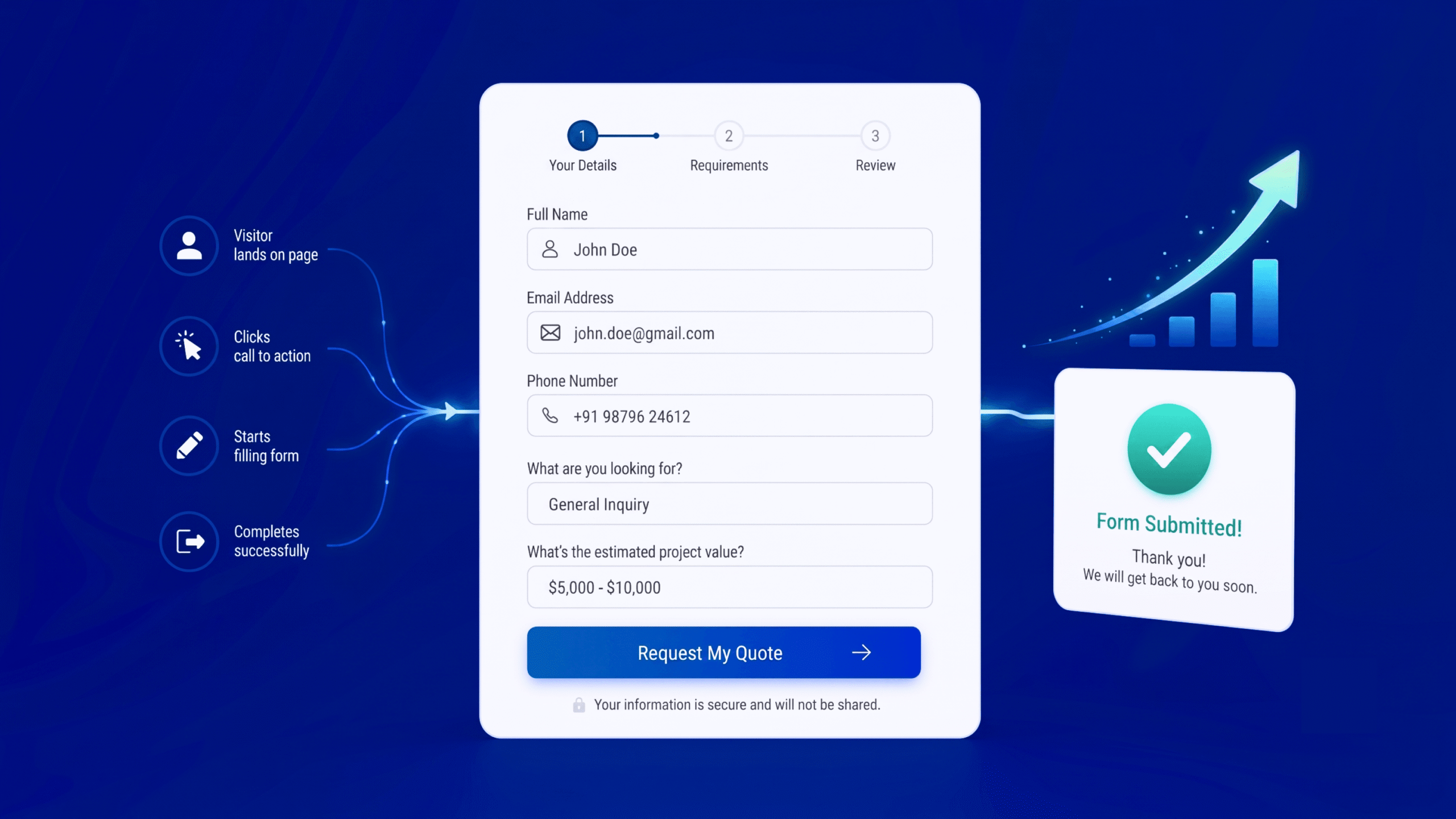
For complex B2B forms, applications, or onboarding flows, a multi-step structure may feel easier than a long, uninterrupted page. Group related questions together, such as contact details, business context, and preferences. Show a progress indicator when it helps users understand how much remains.
A multi-step form should not add unnecessary clicks or conceal the total effort involved. Keep earlier answers when users move back, make the next action obvious, and avoid asking the same question twice. Use the simplest structure that matches the task; a short signup form may be best as a single step.
4. Make Validation Useful, Timely, and Forgiving
Validation helps users correct mistakes, but poorly timed or vague errors can make a form feel hostile. Identify errors near the affected field, describe the problem in plain language, and explain how to fix it. For example, “Enter a valid work email address” is more useful than “Invalid input.”
Where possible, validate after a field is completed or when the user attempts to continue, rather than showing errors before they have had a chance to type. Preserve valid entries after an error and do not rely on colour alone to indicate a problem. For complex requirements, provide an example of the expected format.
5. Design for Mobile and Accessibility From the Start
SaaS prospects may open a form from a mobile ad, email, social post, or search result. Use responsive layouts, readable text, sufficient spacing, and touch-friendly controls. Choose appropriate input types so mobile devices can display a relevant keyboard, and avoid dropdowns that are difficult to operate on small screens.
Accessibility is equally important. Associate labels with their fields, support keyboard navigation, make focus states visible, use clear error messages, and ensure sufficient contrast. Do not use placeholder text as the only label because it disappears as users type. Inclusive form design can make completion easier for people using assistive technologies as well as for users in distracting or time-pressured situations.
6. Explain Privacy and Build Trust at the Point of Entry
Forms often request personal or business information, so users need a reason to trust the process. Explain how the information will be used when that context matters, link to the privacy policy, and avoid asking for sensitive details without a clear need. If a demo request leads to a sales follow-up, say so rather than leaving users to guess.
Trust signals should be accurate and relevant. Security claims, customer logos, and confidentiality promises must reflect actual practices. Avoid cluttering the form with too many badges or promotional messages; reassurance works best when it answers a real concern at the moment the user has it.
7. Make the Call to Action Specific
The primary button should describe the next step. “Request a demo,” “Create account,” and “Send enquiry” set clearer expectations than a generic “Submit.” Keep the action visually distinct, and make sure the button label matches the process that follows.
Do not use misleading urgency or imply that users have committed to something they have not agreed to. If a signup starts a free trial, clarify whether payment details are required and when billing begins. Clear expectations support better-quality conversions and reduce avoidable confusion after the click.
8. Confirm Success and Give Users a Next Step
The experience does not end when the form is submitted. Provide a clear confirmation message or thank-you page, state what happens next, and give a realistic timeframe if a team will respond. If users need to verify their email, explain the next action and what to do if the message does not arrive.
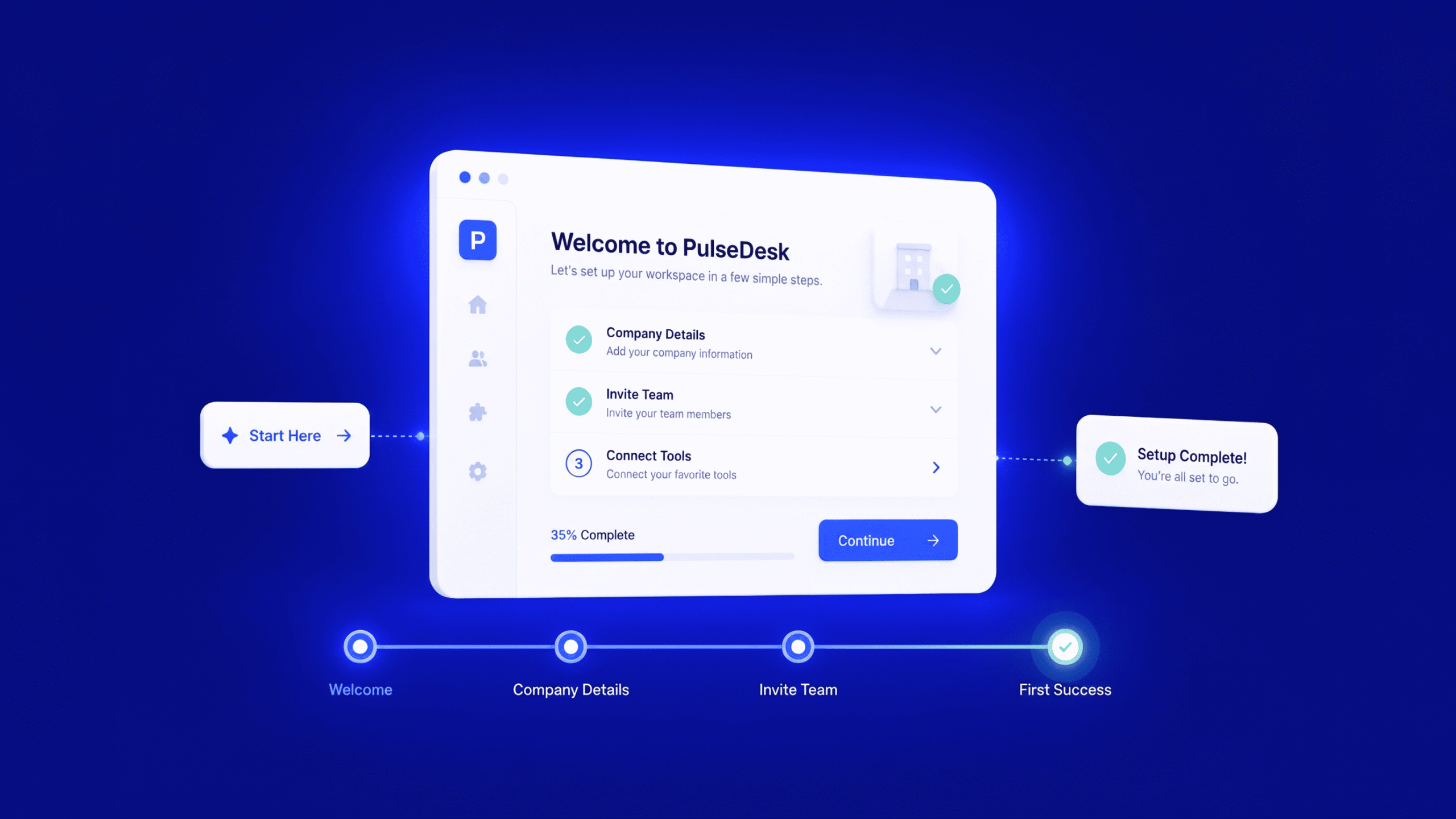
For SaaS signups, guide users toward the first meaningful product action rather than leaving them at a dead end. For demo requests, explain how the team will contact them and offer relevant supporting information. A clear post-submission experience reinforces trust and makes the conversion feel complete.
9. Measure the Entire Form Journey
Track more than total submissions. Useful measures may include form starts, field-level errors, step drop-offs, completion rate, time to complete, qualified leads, and downstream outcomes such as demo attendance or trial activation. Segment results by device, traffic source, audience, and form type where sample sizes allow.
Use analytics to locate the biggest friction points, then combine the numbers with usability testing and user feedback. A high completion rate is not valuable if submissions are irrelevant or cannot be contacted. Run controlled experiments when practical, change one major variable at a time, and monitor downstream quality as well as immediate conversion metrics.
How TheFinch Design Approaches Form UX Optimisation
A thoughtful form optimisation project begins with the user and the business outcome. The team can review the existing journey, understand user needs, assess usability and accessibility, and prioritise changes according to likely impact and implementation effort. TheFinch Design’s broader UI/UX services include discovery, user analysis, testing, wireframing, prototyping, design implementation, and ongoing optimisation—capabilities that can support form improvements as part of a wider product experience.
For SaaS products, form design should connect with onboarding, information architecture, and the product’s overall interface. Explore TheFinch Design’s SaaS UI/UX design services for support with signup flows, onboarding, dashboards, and digital product usability.
Conclusion
Forms are small interfaces with an outsized role in the customer journey. By reducing unnecessary fields, improving labels, making errors easier to fix, designing for mobile and accessibility, and explaining what happens after submission, SaaS teams can remove avoidable barriers while preserving lead quality and user trust.
The most effective approach is evidence-led: understand where users struggle, prioritise the highest-impact issues, and measure the results across the full funnel. UX optimisation services can help turn form improvement from a series of visual tweaks into a repeatable process for making digital experiences clearer and more effective.
Frequently Asked Questions
What are UX optimisation services?
UX optimisation services assess and improve a digital product’s usability, navigation, content, interactions, and conversion journeys using methods such as audits, user research, usability testing, and iterative design.
How can I improve form completion rates?
Start by reviewing analytics and observing users. Reduce unnecessary fields, clarify labels, improve validation, support mobile users, explain privacy practices, and make the next step clear. Test changes and monitor lead quality.
Should every form be short?
No. Forms should ask only for information that supports a clear purpose, but complex workflows may require more detail. Group longer forms logically and explain why important information is needed.
How do you measure form UX success?
Measure form starts and completions, errors, step-level drop-offs, completion time, qualified submissions, and downstream outcomes. Interpret conversion data alongside usability feedback and business goals.