Artificial intelligence has moved from being an invisible layer behind products to something users actively interact with. Recommendations, predictions, automated decisions and conversational interfaces now sit directly in front of people, shaping how tasks are completed and choices are made.
As this shift has happened, a clear pattern has emerged. Many AI products struggle not because the underlying technology is weak, but because the experience around it feels unclear, intrusive, or disconnected from how people actually work. This is where human-centred AI design becomes critical.
Human-centred AI design focuses on how intelligence is introduced, explained and controlled within a product. It recognises that users are not interacting with certainty, but with probabilities, suggestions and evolving behaviour. UX design must absorb that complexity so users do not have to.
Why human-centred AI design matters in practice
AI systems influence decisions that carry real consequences, especially in sectors like finance, healthcare, education and enterprise software. Users are asked to trust outputs they cannot always verify or predict. That changes how products are perceived.
User experience for artificial intelligence is not just about ease of use. It is about confidence, comprehension and control. When users feel unsure about how an AI system arrived at an outcome, or whether it can be questioned, friction builds quickly.
Human-centred AI design addresses this by shaping interactions that feel cooperative rather than authoritative. The system supports decision-making instead of replacing it. This distinction plays a major role in long-term adoption.
Designing AI experiences that reduce uncertainty
One of the most common UX challenges in AI products is managing uncertainty. Intelligent systems rarely produce the same output every time. They learn, adapt and respond to context.
Designing AI experiences means acknowledging this behaviour instead of hiding it. Interfaces that imply absolute certainty often lose trust faster when outcomes change. Interfaces that make room for variability tend to feel more reliable over time.
Clear feedback, visible states and gentle explanations help users understand what is happening without interrupting their workflow. The goal is not to educate users about machine learning, but to give them enough context to act confidently.
Applying AI UI design principles thoughtfully
Strong AI UI design principles prioritise clarity over cleverness. Visual polish cannot compensate for unclear intent or confusing system behaviour.
Interfaces should make it obvious:
- What the system is doing
- Why a particular output appears
- What the user can do next
- How to adjust or refine results
This does not require long explanations. Microcopy, visual cues and interaction patterns often do more work than text-heavy explanations. When users want more detail, it should be available without being forced into the primary flow.
Designing AI experiences involves deciding what information is essential in the moment and what can remain optional. This layered approach supports different levels of user confidence and familiarity.
Making AI feel intuitive rather than impressive
Intuitive AI interfaces feel predictable, even when outcomes change. Predictability comes from consistency in interaction patterns, not from repeating the same output.
Users should quickly learn what the system responds to, how it reacts to changes and where its boundaries are. When an AI system fails or produces unexpected results, the interface should support recovery rather than deflection.
Successful AI product UX avoids presenting intelligence as magic. Instead, it treats intelligence as a capability that operates within clear limits. This framing reduces frustration and helps users build realistic expectations.
UX considerations during AI product development
AI product development UX must account for change over time. Models evolve, data shifts and outputs improve or degrade based on usage and feedback.
Design teams need to plan for this from the start. Static interfaces often struggle to accommodate learning systems. Human-centred AI design introduces flexibility through adaptable messaging, update cues and feedback loops.
Users benefit from understanding how their actions influence results. When feedback improves outcomes, interfaces should make that relationship visible. This reinforces trust and encourages meaningful engagement.
Transparency without overwhelming users
Transparency is often discussed as a requirement for ethical AI. From a UX perspective, transparency is a design challenge.
Too much explanation can interrupt tasks and increase cognitive load. Too little explanation creates suspicion. Effective user experience for artificial intelligence sits between these extremes.
Layered transparency works well. A brief explanation appears when confidence might drop. Deeper reasoning is accessible for users who want it. This approach respects time, attention and varying levels of technical comfort.
Ethical responsibility expressed through UX
Many ethical considerations in AI are experienced directly through the interface. Consent, data usage, bias awareness and override options are not abstract ideas to users. They are interaction moments.
UX design shapes how responsibly users engage with intelligent systems. Clear choices, visible controls and honest messaging reduce misuse and misunderstanding.
Human-centred AI design treats ethics as part of everyday interaction design, not as legal text or background policy. When users feel informed and respected, trust becomes more stable.
Measuring success in AI UX
Traditional metrics like task completion and retention remain relevant. AI products benefit from additional signals related to confidence and perceived control.
Users may tolerate imperfect accuracy if the system feels supportive and predictable. Conversely, high accuracy alone does not guarantee adoption if users feel sidelined or confused.
Successful AI product UX balances functional performance with emotional experience. Both influence whether users return and rely on the product.
Designing AI as a collaborator
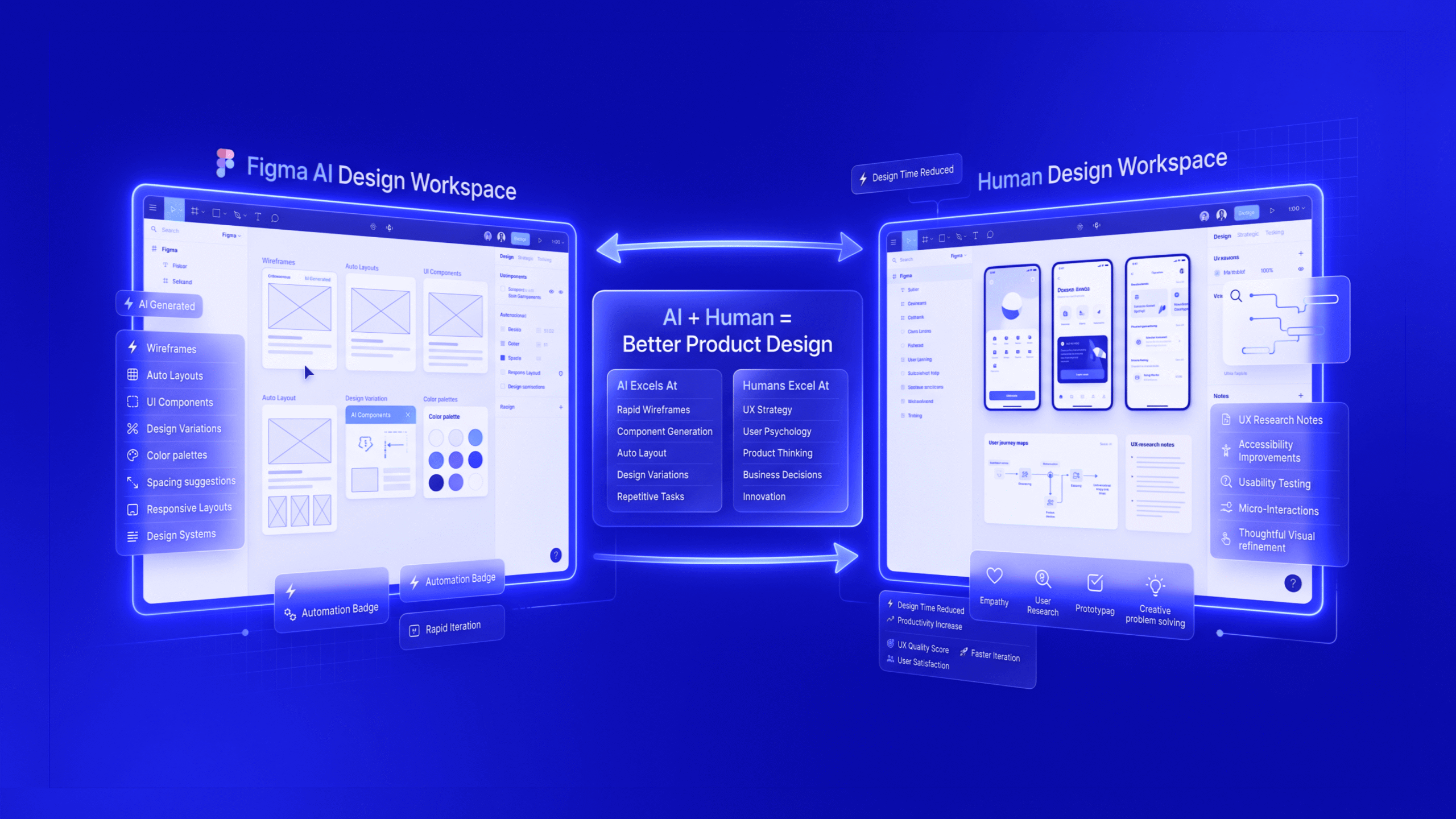
AI products tend to perform better when framed as collaborators rather than replacements. Interfaces that invite user input, refinement and judgement feel more empowering.
This approach changes how users relate to intelligent systems. Instead of feeling overridden, they feel assisted. Instead of passively receiving outputs, they participate in shaping them.
Designing AI experiences around collaboration strengthens long-term engagement and reduces resistance to automation.
Where human-centred AI design is heading
As AI becomes embedded across tools and platforms, expectations will mature. Users will judge products less on novelty and more on how well intelligence fits into real workflows.
Human-centred AI design will increasingly focus on:
- Recovery when outcomes are unclear
- Control when confidence drops
- Adaptation as systems evolve
Products that invest in UX as an ongoing discipline, not a one-time launch task, will be better `positioned to handle scale, regulation and changing user expectations.
Designing intelligent products is ultimately about making complexity manageable. When UX does that well, intelligence becomes usable rather than intimidating and products earn sustained trust through everyday interactions.
Final thoughts
Human-centred AI design is what turns intelligence into something people can rely on daily. When uncertainty is handled with care, controls are easy to find, and explanations are offered in layers, AI becomes a partner in the work rather than a source of doubt. The best outcomes come from treating AI product UX as a living system that learns alongside users, with interfaces designed for clarity, recovery, and collaboration.
Actionable CTA
Developing an AI product? Let TheFinch design help you create intuitive, trusted and impactful AI experiences for your end-users. Share your product flow, model outputs, and user goals, and we will map the trust gaps and propose UI/UX upgrades grounded in human-centred AI design.
FAQs
1) What is human-centred AI design?
Human-centred AI design is an approach that focuses on how AI is presented, explained, and controlled so users can act with confidence. It treats AI outputs as probabilistic and evolving, then designs the experience so the user does not carry that complexity.
2) Why is user experience for artificial intelligence different from standard UX?
User experience for artificial intelligence must handle uncertainty, changing outputs, and trust. Users need to know what the system is doing, why it produced an output, and what they can do next, without being slowed down.
3) What are the most useful AI UI design principles?
AI UI design principles prioritise clarity, layered explanations, visible system states, and easy refinement. Users should be able to understand intent fast, adjust results, and recover smoothly when outputs miss the mark.
4) How do you design intuitive AI interfaces when outputs change?
Intuitive AI interfaces rely on consistent interaction patterns, clear boundaries, and strong recovery paths. Predictability comes from how the interface behaves, not from identical outputs every time.
5) What should teams plan for in AI product development UX?
AI product development UX should plan for model updates, shifting data, and evolving behaviours. Interfaces need adaptable messaging, update cues, and feedback loops that show users how their input influences outcomes.
6) What makes a successful AI product UX even if accuracy is not perfect?
Successful AI product UX builds perceived control and confidence. Users often accept imperfect accuracy when the system feels supportive, transparent in layers, and easy to question or refine.
7) How can designing AI experiences support ethical responsibility?
Designing AI experiences can express ethics through real interaction moments: consent, data visibility, bias awareness, and override options. Clear controls and honest messaging reduce misuse and build steadier trust.